
Borrow Licenses
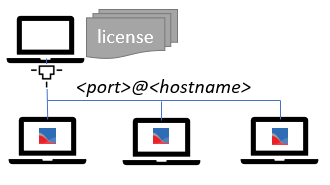
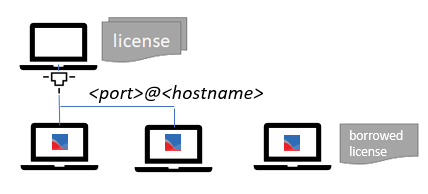
Most Keysight floating licenses can be borrowed. Borrowing lets you check out a license for an extended period of time and use it offline, without a connection to the network license server.
To borrow a floating license:
- You must be connected to the network, with access to a license server that has floating licenses for the product you need to use.
- In PathWave Desktop Edition, click
 , then click Licenses and Support.
 - Select License Status, then select the Floating Licenses tab.
- Click Borrow Licenses.
- Choose the license or licenses to be borrowed by selecting them from the list.
- Schedule a return date by typing in the date (dd/mm/yyyy) or selecting from the calendar control. You can typically borrow a license for up to 365 days, or until it expires, whichever comes first. (The administrator of the license server can further restrict license borrowing using an options file on the server.)
- Click Borrow Now.
Once you've borrowed the license(s) you need, you can disconnect your local machine from the network, and use the licensed product(s)/feature(s) offline. No one else can use that specific license count during the borrow period: the license server will report it as being in use and will deny checkout requests for that license count.
At any time before the scheduled return date, you can return the license by selecting Return Borrowed Licenses Early on the Borrowed Licenses tab.
If you do not return the license before the scheduled return date, the license will automatically be returned on that date, even if your machine is not connected to the network. Once a license is returned, you can no longer use the licensed product/feature, and the license server considers the license count available to be checked out or borrowed by another client. After the license has been returned, you can borrow it again if it is available.
Search key: BORROW