
Test Steps
The steps available to you depend on the packages installed. Keysight-supplied steps are installed as part of the Test Automation installation (OpenTap.Plugins.BasicSteps.dll for example).
In the Test Plan pane, you can:
- Click on a step to configure the step in the Step Settings pane
- Click the box to the left of each step to enable or disable the step
- Double-click a step name to rename it (or select the step name and press F2)
- Drag and drop one or more steps to a new location to rearrange the order of the sequence
Parent/Child Steps
Some steps, such as the Flow Control Sweep Loop step, are parent steps that allow you to add one or more child steps. A parent step can access and set the parameters of the child step(s) and, in some cases, the child step(s) can access parameters of the parent step. In the Steps dialog box, parent steps have the Add Child selection enabled: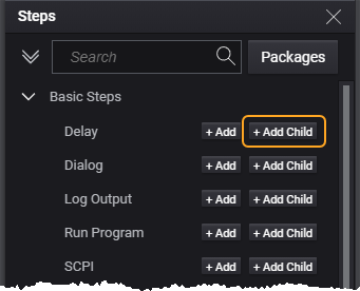
In the test plan, child steps are shown indented below the parent step. The test plan shown below has a Sweep Loop step with three child steps:
You can easily move (rearrange) test steps by clicking and dragging them to a new location within the test plan.
In this example, the Sweep Loop step allows you to sweep the selected parameters of the child steps:
