Test Automation Packages
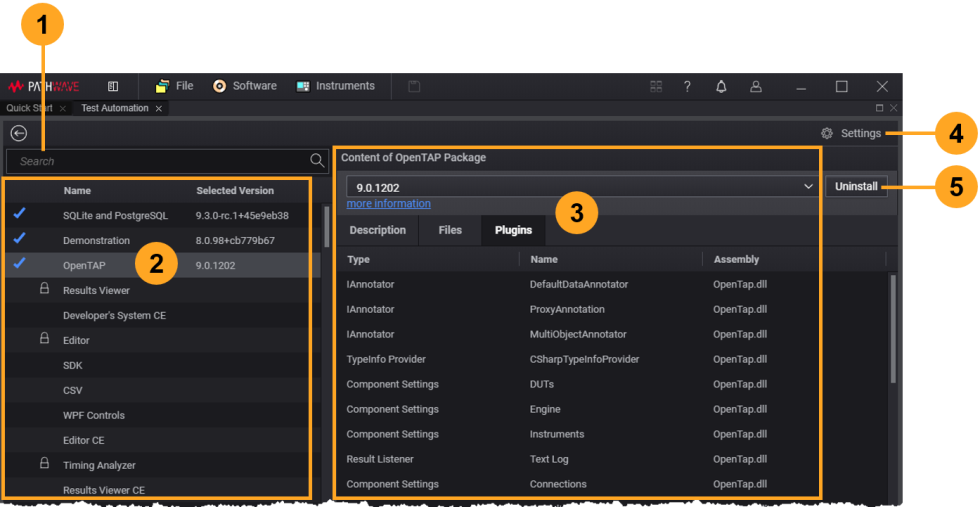
The Test Automation Package Manager displays plugin packages that are:
- Installed and ready to use
- Available (but not installed) in your installation folder or in a searchable repository
In Package Manager:
- The Search field (1) lets you search for a specific package from the list of available packages
- The Package section (2) shows the installed and available packages (installed packages are shown with a blue check)
- The Content pane (3) provides package details in one or more tabs:
- Description describes the package
- Plugins displays the Name and Type of the various plugins (test steps, DUTs, instruments, and result listeners) contained in the package; the Assembly column shows the DLL file associated with each plugin
- Files lists the assemblies (DLLs) and other files (such as test plan files) in the package
- License appears if the package requires a license
- Custom tabs may provide additional information (such as Status or Contacts) if implemented by the package developer
- The Settings menu (4) lets you specify a package repository to search for available packages
- The Uninstall button (5) lets you uninstall the selected package